Thursday, March 27, 2014

Deleting Facebook - 1460hrs pay back


Over the last few years I found myself increasing my time on Facebook to around 2-3hrs a day, mostly talking to a few people that I hadn't seen in quite a while, posting updates and the odd picture. Now while this seems very normal usage of Facebook, it caused me to think about breaking down my day, just logging down how much time I was spending on Facebook. I'm a busy parent, and hold down a great career so how did I find the time to sit at a computer and be so non-productive. 

What surprised me was the amount of message sending I was doing, upto 45mins a day sending messages from either my phone or computer; mostly the handset, so that didn't even come into my thought process of using Facebook. Humm so almost 4 hours a day then, using the Facebook. That's a whooping 1460hrs a year "wasted", sounds pretty anti social that.

1460hrs is about the time it would take me to :-

Walk to Iran and back - I know I just checked.

Learn 100 different languages - I know, I just checked.

Build 21 2100sq ft houses - I know, I just checked.

So if I exchange Facebook for my time back, what could I achieve ? What am I missing out on, which is the exact reason many use Facebook, to quench their thirst for "missing out". 

Back in December I deleted my Facebook account, I didn't warn anyone, no clue, just a raw delete; just to see what happened, well the results surprised me. Firstly those who I really didn't need to contact, didn't get in touch - if I wasn't offering the information on Facebook many didn't really seem interested which was fine. Humans seem to like obtaining easy information; not be challenged by the difficult - who walked round to someones house to ask them out for a beer when they could use the phone instead, nobody. The biggest pain point for me was talking to people overseas - I have many family and friends who live in the US and UK but that was replaced with WhatsApp or Google Hangouts. So I lost the ability to communicate with some that in real honestly I didn't care much about, and found a way to communicate with those close to me, and that went the other way round too.

One thing that surprised me was the amount of people that got put out that I had deleted Facebook assuming I had removed them as a friend - One actually didn't reach out to me until I sent her a text asking how she was, she replied "I thought you were ignoring me now" hummm since when did Facebook became the ONLY method of communication ? Text, a call, a whatsapp - anything other than a Facebook message would have done, but this was overlooked. Have we become that lazy ?

The feeling of not sharing all my SMS and handset information with Facebook felt good too. No snooping, no wondering who is using the information I send, to create adverts for me. 

One big part of the big Facebook delete was getting all those hours back, I found I had more time for my family; more time to learn to do new things - I recently learned how to Scuba Dive to a high level. I also have got involved with more business opportunities too. Less time for people I don't care about, and more time to enjoy getting out more. Did Facebook alone prevent me from doing all of this ?! Well there is an argument for that to say otherwise but you cant deny 1460hrs is an immense amount of time to reintroduce into your life.

I think the same can apply for any social media that people seem hellbent on self branding themselves, or collecting friends. 

Deleting Facebook I'm sure isn't for everyone but in the quest for not being left out of other peoples lives, is very much in exchange of missing out on your own life. 

Go on delete Facebook, I dare you.

@ihaveagadget 

Wednesday, March 26, 2014

Photowall for Chromecast


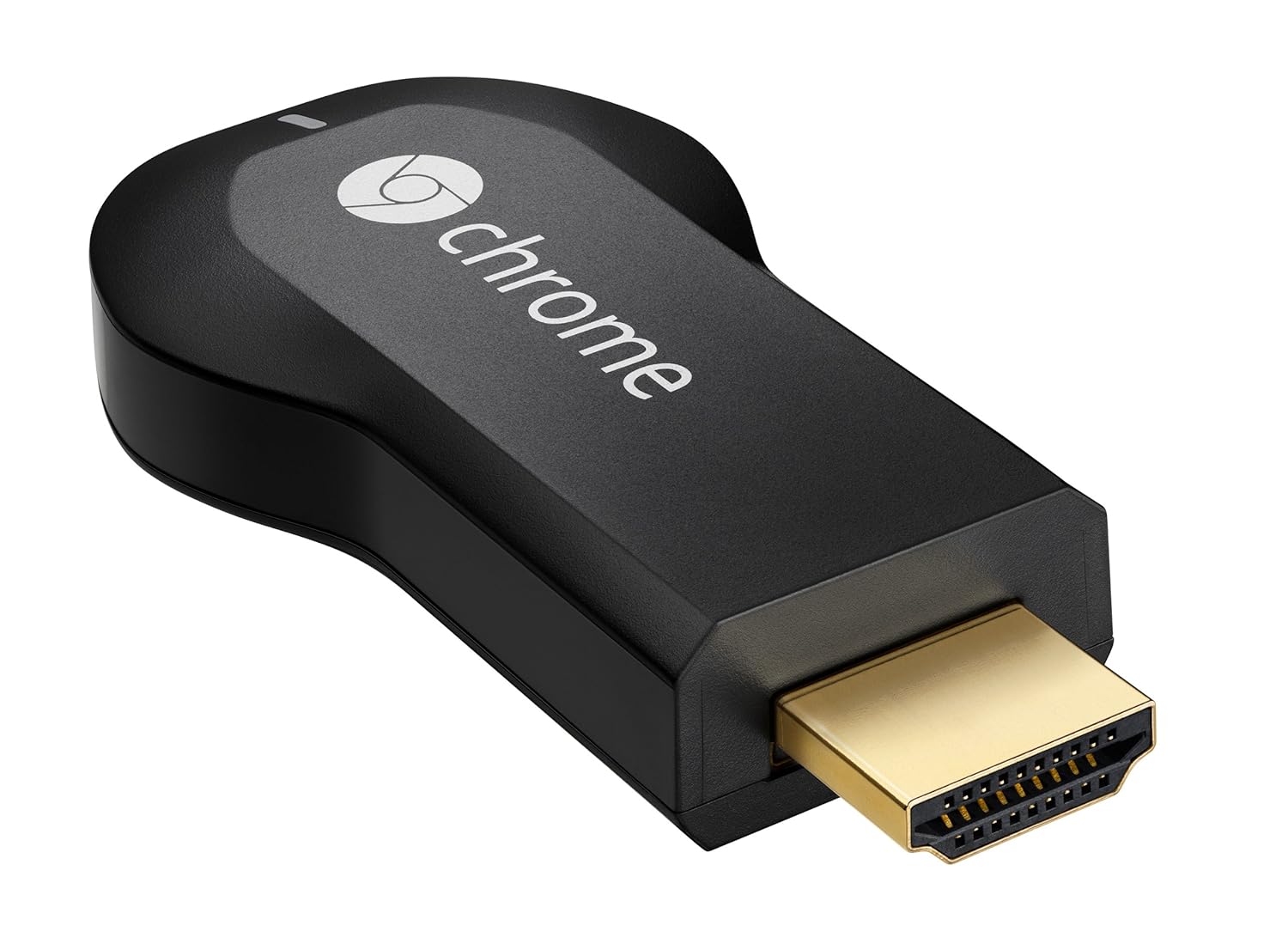
Now Chromecast has seen a wider release around the world the little HDMI stick has started to see some pretty cool apps come out for it.

One being Photowall for Chromecast by Google Creative Labs.

Photowall for Chromecast is a new Chrome Experiment that lets people collaborate with images on the TV - using phones or tablets. Anyone can take a picture and send it to a Photowall to instantly see it on the big screen.

We have been laying with it here at IHAG Towers and had a load of fun with it, the app does have some frustrating issues now but then again its just at v1.0 right now - we are sure those frustrations will be removed shortly. The demo below shows a Childrens party as the main sell, but we can think of many uses even those in business. 

When you’re finished playing with Photowall, a YouTube video of your Photowall party is automatically generated. Perfect for sharing with everyone who took part, or those who didn't. 


Friday, March 21, 2014

Google Glass brings mostly good reactions; uneasy feelings within too.

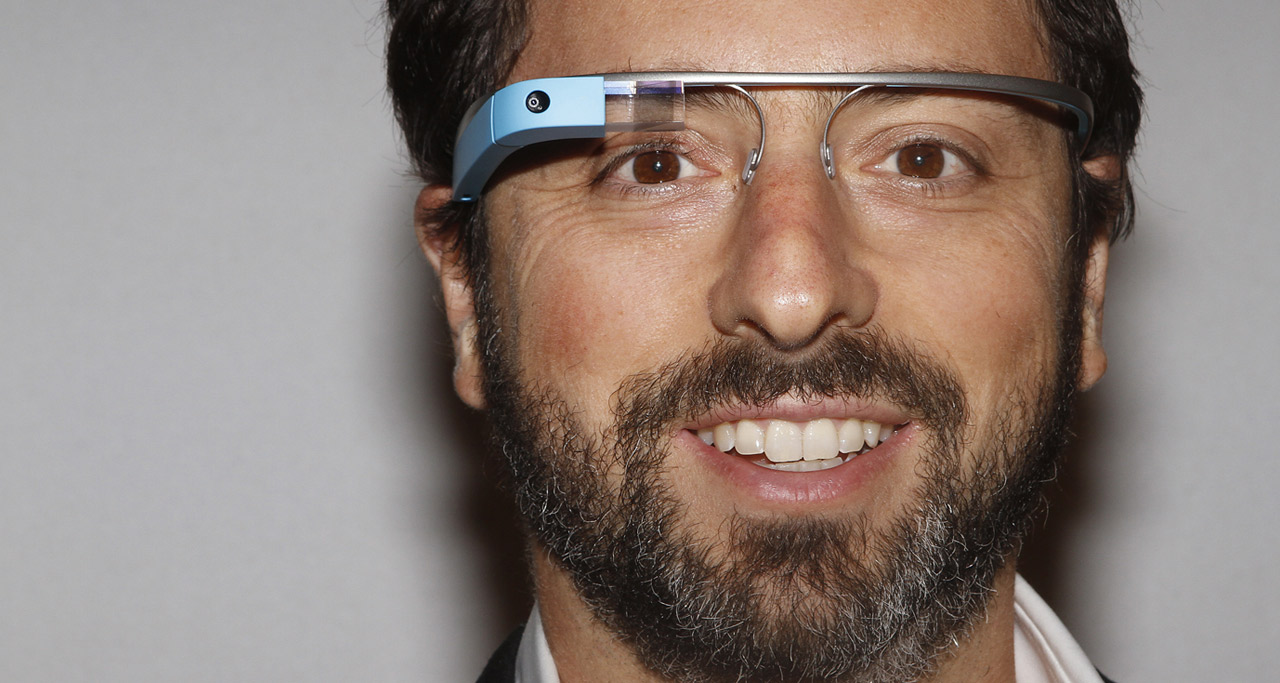
Since I have been a Google Glass explorer based in the UK I have come across many curious people wanting to ask about my experience - some really surprise me. A middle aged lady who worked in the Sainsburys local, posed several questions on my usage when I had them on last week buying my groceries, I hope she wont mind me saying a very unassuming technophile; she greeted me with a smile and looked at Glass with wide eyes of wonder which is what the explorer program is all about. However there is a side of Glass that does make me feel very uneasy and this brings up questions of our society as a whole but I guess that's down to the individual.

There are two situations that really stand out for me as those moments as, hummm not sure I'm enjoying this. One such occasion arrived unexpectedly on the way home from Somerset a few weeks back. Google Glass had been navigating me home with some ease when I needed to stop for a comfort break shall we call it. I didn't want to leave Glass in the car as there is a high chance of theft at road side service stations and I didn't have enough space to hide it anyway after a weekend of Scuba diving. So I kept them on and raced into the male (obviously) WC and here I had my moment of - hang on I have video equipment strapped to my face in a convenience stop - now call me over zealous but at this point I immediately felt uneasy at the prospect of being challenged by a not so friendly technophobe at why I felt the need to wear them in such a place. Reality is I didn't need them on but had Glass been strapped to my face via prescription lenses I wouldn't have had a choice.  For the months I have been using Glass I hadn't come against this scenario and then as I continued my journey I could think of other less than happy scenarios that Glass would be less than welcome. 

So my question to Google would be how could they implement a retraction method, or at least a way of removing the prism or cover the camera for those moments when you just don't want to be seen wearing Glass. Personally a small design change that could see these uneasy moments disappear would benefit me and others in the same way, including maybe those places where Google is currently banned. Not sure I'm ready to make Glass a permanent feature on my Glasses just yet, and to be fair, I'm not sure society is too - which is one of the reasons why this product isn't on general release yet - acceptance is a long way off and that's from someone who went to great lengths to be an explorer for Google.

Wednesday, March 19, 2014

Unlock US/UK content on your Chromecast


We all like to watch TV and Movies, however using US services like HBO, FOX, Netflix or Amazon Prime can be problematic for the Brits, just as watching BBC iPlayer and Sky Go can for the Americans - even when you travel too. Dam those regional restrictions.  

Want to work round that ?

Great, although VPN isn't supported on Chromecast because you need both server and Chromecast client to be on the same LAN / Network, using SmartStream from StreamVia you get just this. 


Due to the way SmartStream works you will not notice any slow-down of your internet connection, only the UK & USA sites that SmartStream supports are unlocked and all other local sites continue to work as normal. There is no software to install just a simple configuration change and then sign in to authorize your connection! **
SmartStream also works on devices that would otherwise be complicated to connect to a traditional VPN service - such as games consoles, Internet TVs, media streamers etc - but it can also improve the streaming performance of regular devices, such as computers, phones, tablets etc, when compared to using a VPN.
So how do you get this good stuff, easy, click the StreamVia link on the right of the page and sign up for UK / US VPN, you will get SmartStream included in your package, unlike other vendors who just give you DNS.
Change your router DNS look up, everything on your LAN working with SmartStream, including your Chomecast, laptop and mobile phones.
We recommend changing the router because you don't have to change every device, its just a one off change, to one device. Check your router manual for how you do that, normally you have to log onto the default gateway which is something like http://192.168.x.x.
Open the below website on your SmartStream configured device to ensure that a) it has been configured correctly and b) is compatible with your router or Internet connection, in your browser goto
If the above test passes you likely need to sign into SmartStream with your VPN username/password to update your IP address in their system, each time your broadband IP address changes you need to complete the below.
Sign on using the StreamVia credentials you made during setup, then you are done.

Enjoy international content on your Wii U, Playstation, PC, whatever, including Chromecast and its associated services.

Remember for chromecst you will need to obtain various "overseas" apps they may not be in your local Google Play store. How you do that is down to you, and of course the risks that brings.


** Please be aware this method was tested on an older unit when we received Chromecast back in August. The UK model may differ from whats being mentioned here. You may need to force DNS and IP address settings via MAC address to the Chromecast to get it to work with Streamvia's service. Some routers may not have this ability, tested on a Netgear 600U.


Update October 21, 2014: Alternatively you can get root access to your Chromecast so you can force the Chromecast to use Streamvia's DNS servers. We are not responsible for any damage done to your Chromecast nor do we provide support for the process. This method was developer by the awesome users over at XDADevelopers:

A video tutorial is here https://www.youtube.com/watch?v=B6c34jqFHxY watch and root !


Android Wear preview - slick and polished


Looks a little like Glass with Google Now thrown in, like the look of this ? Will be arriving on the new Moto 360 and LG thingie watch very soon. 

Massive improvement on anything out right now, including Galaxy and Smartwatch 2 from Samsung and Sony respectively.  


Sending Google Play Music to a UPnP/DLNA device such as ROCKI

You might want to send your Google Music Play collection to a device other than Chromecast or listening on your Laptop / Mobile phone.

Cast to UPnP/DLNA on the Google Play store can help. 

Ensure you have WiFI started and connected to your local network.

Install, run and simply click the START GOOGLE MUSIC button, you may get a warning button like the screen on the left, take note a click "OK"

Google Play Music will start on your device, and then click the usual Cast button on the top left.

When you do the options to select a device to stream to should list contain all your UPnP/DLNA clients on your network. 


On a side note of using ROCKI, you can find out more great ways to utilize your hardware over at the ROCKI community forums.


About time #2 - Google Voice is coming to Hangouts


9to5google.com have posted with information saying Google plan to kill off Voice in favor of integrating the function into Hangouts. 

Im very pleased about this because since voice was removed from Google+ (which worked with my car bluetooth as well) I've been having to use Hangout Video which isnt always the best - both on data usage and call quality. 

So its about time this happened, VoIP seemed to be forgotten 'bout by Google, this is a welcome change for us international users at least.

Tuesday, March 18, 2014

Xperia Walkman works with ROCKI using "Throw"

Since we took receipt of ROCKI we have been playing around with what does and doesn't work. One bonus is that +Sony Xperia  Walkman app on Xperia phones also works well using "Throw" 

Open your Walkman app and select the throw icon in the top right and select your ROCKI, then have fun firing your music to your speakers. 

If you need the walkman app then you can find "versions" of the apk on various internet sources, so use those at your own risk, and of course the copyright / legal issues that follow. 

About time #1 - Moto 360; a sexy smartwatch

In the last few hours +Motorola Mobility have "kinda" announced the Moto 360, which will be running Google's new Androidware smart watch Android OS.

We don't have allot of details other than this dam sexy picture. Its about time we had a standard OS for smartwatches, and I suspect this is a play against Tizen and startups like +Omate TrueSmart from getting in on the market. However LG and other OEMs are in on the act using this new OS, so lets see what they come up with. Having a single standard like on handsets is a great move for the consumer.


You can see more in the hangout with +Motorola Mobility tomorrow (19th March at 6PM GMT; details are here


Monday, March 17, 2014

"Name the Game" on OUYA, physics puzzler of epic proportions


A new game with no name appeared on the OUYA Game store, which actually has no name other than "Name the Game", you can help name the title by tweeting +Gamious with the hashtag #namethegame - so what its it ?

Its a physics based puzzler, which I really enjoy that genre anyway but pretty much all aspects of physics for gaming is here, weight, size, momentum, gravity and mass. The idea is to get your ball through a neon network of blocks, levers, and such to get to the target as quickly as possible, check out the "name the game" over on the store and push it to your OUYA now.

Check it out on Vimeo below or via this link.


#NameTheGame from Gamious on Vimeo.

Saturday, March 15, 2014

IHAG gets a YouTube channel (yes at long last)

Yes its true, we have at long last got a You Tube channel. Over the last two months we have been a little quieter than normal. 

However lots of news and items coming up but to start we have got our YT channel live. 


Wednesday, March 12, 2014

ROCKI arrives, and is here to stay

Those lucky kickstarter backers of ROCKI have started to receive their units, pretty much on time - I was no exception. 

I was very excited and decided to give ROCKI an early road test.So lets get ROCKI on the road.

First of all you will need the app from either the Google Play store of the course the Apple store too if you are a member of the Apple fan club. 

Hardware wise the basic ROCKI Play has just two ports, a 3.5m jack and the power from a mini USB - the same USB port you find on all Android and Windows phones so chances are you will have a few cables kicking about. However some are included for you anyway.

ROCKI Play+ has the benefit of a HDMI output which is missing from this unit.

Connecting to the ROCKI is very much the same as Chromecast, the ROCKI will create a hotspot that your handset will seek out, then input your local LAN settings - ROCKI will then associate itself with your local network. Then your good to go. You will be guided to look for light indicators on your ROCKI app so look out for those. 

Select your ROCKI from the top green bar and then log into your streaming services, for now only Soundcloud and Last.FM are listed as well as all your lovely local music too. 

Since my business is cloud based you can guess that I'm a heavy user of Google Music, Soundcloud etc, so it wasn't very difficult for me to log into Soundcloud via the ROCKI app and then sync my playlists. The entire set up took around 2 mins to complete to playing music.

I've been trying the ROCKI out on all my smaller bits of HiFi such as a sound bar, portable speakers and the kitchen sound system, all of which it worked flawlessly on as you would expect. Difficult to say anything negative because it does what it says on the tin, it does get a little warm but I guess that's while charging and throwing music at it. You can change the sleeves to funky colours (7 no less)

Very much looking forward to ROCKI adding additional services in the coming months, and expanding the app a little bit. Little things like learning when to swipe to remove items from your ROCKI queue are touches that need a little refinement, but remember this is early days and a start up that's done brilliantly to get the product out the door on time and within schedule.

Streaming various sources to the ROCKI from a few handsets was a joy to use too, meaning many of you can get social with your music at home and on the road, thanks to the internal battery which will outlast many AA based power systems I'm sure. 

Anyway - I will update more on ROCKI as the app changes and more services are added. In the coming weeks I also have a very exciting announcement to make, so stay tuned to IHAG.

To get yourself a ROCKI, head over to http://www.myrocki.com/ starting at $49, very reasonable cost to create yourself a speaker system that will not only give new life to your current hifi set up, but makes sharing your music fun too, especially if you have several of them in your house. Its heterogeneous but good in every sense of the word.

Click here for a quick You Tube demo using ROCKI Play


Thursday, March 6, 2014

ROCKI app goes live in the Play Store

If you are awaiting your ROCKI then you might want to download the ROCKI app which is now available to download in the Google Play store (and other platforms) in anticipation. 

On the other hand if you have received your ROCKI and are already using the "Music for all speakers" gadget, let us know what you think. 


Is OUYA Everywhere the Right Move?

I've been thinking about OUYA's 'OUYA Everywhere' initiative, and I like it - I think it's more sustainable than selling its own hardware, but I still have doubts about the whole proposition.

I think the plan is great for developers. More platforms means wider reach and greater sales, but it also means more of the usual compatibility problems. There's really no way around it. Tegra 3 was acceptable because devs could build upon it; squeeze a little more out of it, but what's the incentive now? You can technically create an OUYA game without the intention of releasing it on OUYA hardware.

I love that people without OUYAs will be able to play the system's exclusive without having bought the box itself, but would they be willing to search through the garbage?

I feel like the majority of people who champion OUYA are people who've either backed it or adopted it early and were willing to accept its problems. Like investing in a socially-awkward flower and watching it grow, but if OUYA presents themselves to those people as an App Store (possibly), won't they he expecting something a little more vetted? Especially in the case of the Mojo, where the Play Store will sit alongside it.

I feel like this could be much bigger if they, say, partnered with Samsung to have the OUYA store on their Galaxy phones and tabs with Samsung's GamePad, but I can't see that happening since Julie Uhrman has spoken many times about how much she loves television.

I'm curious to know what you all think about this. I love OUYA as more than anybody, but they aren't above criticism and I just want them to be around for a long time. Still, the idea of having OUYA's platform on a portable device like the Nvidia Shield, with proper controls and a great screen, for me, outweighs the aforementioned negatives of this plan. What do you think?